
New Delhi19 minutes ago
- copy link
If you have not yet linked your PAN card with your Aadhaar, do not delay now. If you do not do this by 31st December 2025, your PAN card will be deactivated from 1st January 2026. Then you will not be able to file Income Tax Return (ITR), you will not get the refund. You may even face problems in accessing your salary account or making investments like SIP.
Those who had made PAN using Aadhaar Enrollment ID before October 1, 2024, will have to link it by December 31, 2025. Even if you have made PAN using Aadhaar Enrollment ID, you will still have to complete the linking process.
According to tax expert Chartered Accountant (CA) Anand Jain (Indore), many problems can be avoided by linking Aadhaar-PAN in time.
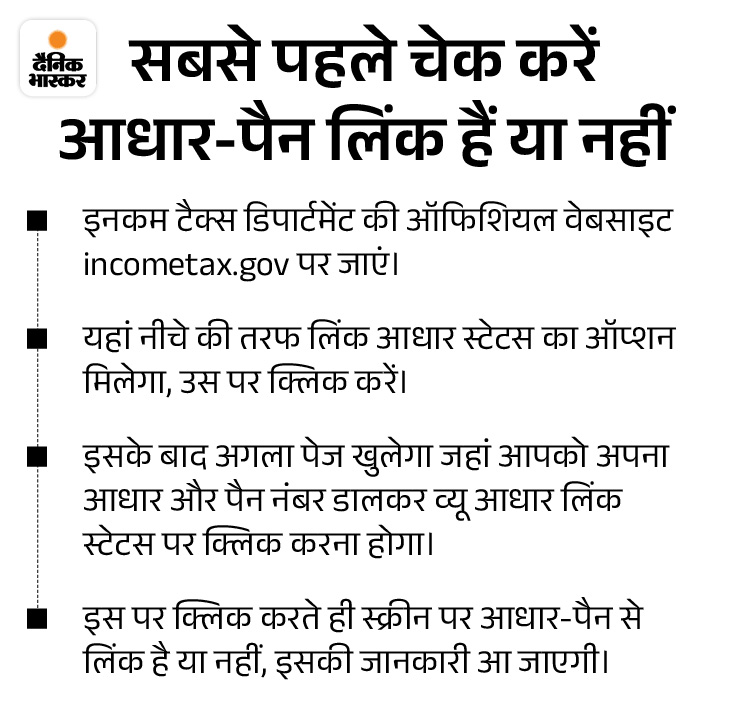
Aadhaar-PAN Linking Process
- First of all go to the Income Tax website.
- Click on the Aadhaar link in the quick link here.
- Enter PAN and Aadhaar number and click on Validate.
- A link to visit NSDL website will appear for payment.
- You have to click on Proceed in CHALLAN NO./ITNS 280.
- Select Tax Applicable (0021) Income Tax (Other than Companies).
- In Type of Payment, you have to select (1,000) Other Receipts.
- Two options will be available in mode of payment, net banking and debit card.
- You can choose any of the two options as per your convenience.
- Enter your PAN card number in Permanent Account Number.
- Enter any of your addresses in the address field.
- Now enter the captcha code and click on proceed.
- After clicking on Proceed, you will see your entered information on the screen.
- After checking the information, tick Agree and click on Submit to the Bank.
- If there is any mistake in the details entered by you, then you will have to click on edit.
- Now fill Rs 1000 in Others by choosing net banking or debit card option.
- You will receive a PDF after the transaction is completed. Keep this download with you.
- It will take 4-5 days for this payment to be updated.
Process after payment
- After 4-5 days, you will have to click on the link again on the Income Tax website.
- You have to fill PAN number and Aadhaar number and click on Validate.
- If your payment has been updated then the option to continue will appear on the screen.
- Click on Continue and enter name and mobile number as per Aadhar card.
- Tick on I agree and proceed further. Now you will receive an OTP.
- Enter OTP and click on Validate. Now a pop up window will open.
- It will be written in the pop up that your request for Aadhaar PAN linking has been sent to UIDAI for validation.
- After validation, your PAN and Aadhaar will be linked. You can check its status on the Income Tax website.
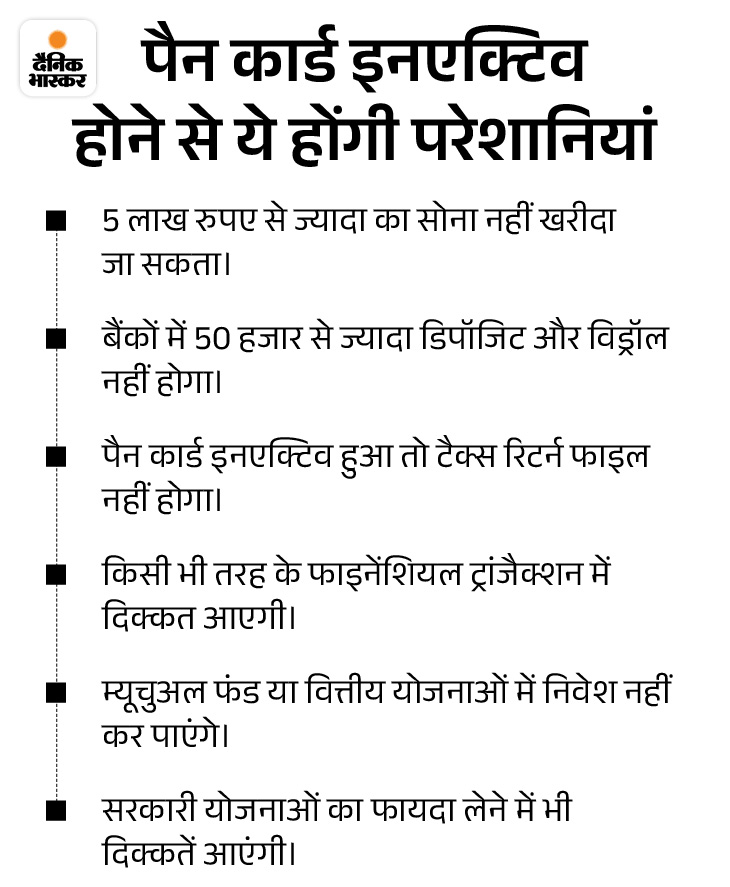
What are the rules regarding PAN deactivation? Under the rules, if your PAN has been deactivated and you use it for bank transactions or anywhere else, then it will be considered that you have not given PAN as per the law, in such a case you can be fined Rs 10,000 under Section 272B of the Income Tax Act. Under Section 139A of the Act, it is mandatory to show PAN when asked.
Source link
[ad_3]
